TL;DR
AI coding tools write mediocre code with mediocre security by default. Set project-level instructions before you start: validate all input, encode output, never hardcode secrets, follow OWASP Top 10. Use your AI agent as a security mentor, make it explain WHY it’s doing things. When you accidentally commit a secret (you will), revoke it immediately and remove it from Git history. Security isn’t optional, even for hobby projects.
Vibe coding is incredible. You sketch out an idea, refine it with a few prompts, and boom, AI writes most of the code for you. I love it.
But here’s the thing: I’m a programmer. Or I was, back when I wrote actual C++ and didn’t rely on an AI to remember syntax. I can look at what Claude or GPT spits out and know when it’s trying to do something sketchy or just plain wrong.
What about everyone else? The product managers spinning up prototypes? The founders building MVPs? The cybersecurity folks (yes, us) who want to automate something without spinning up a whole dev team?
AI is too powerful and too accessible to ignore. But it’s also trained on decades of code. Some of it good. Most of it mediocre. And plenty of it actively terrible.
The Problem: AI Writes Code Like We Did in 2003
Remember when SQL injection was new? When we thought client-side validation was enough? When “about tree fiddy” got accepted as a valid loan amount in a mortgage application?
(Yes, that really happened. One of my team members found it during an appsec assessment. No input sanitization, no data typing. Just vibes, optimism, and now a good story.)
AI has been trained on all of that. The good, the bad, and the “what were they thinking?” It doesn’t know that some of those patterns are security disasters. It just knows they appear frequently in training data.
So when you ask AI to build you a login form or a file upload function, it does what it’s been trained to do: write mediocre code with mediocre security practices.
The Solution: Train Your AI to Not Suck at Security
You can’t just turn on Claude Code or GitHub Copilot and hope for the best. You need to set ground rules. Tell it what good looks like before it starts generating anything.
Here’s what I do when I initialize a new Claude Code project:
Set Project-Level Instructions
Before writing a single line of code, I tell Claude:
- Don’t use deprecated libraries or dependencies. If something’s been sunset, don’t bring it back from the dead.
- Ask before installing anything. I don’t want surprise packages that pull in half of npm.
- Validate all input. Never trust user input. Not even a little.
- Encode output. Assume everything going back to a user could be used for evil.
- Follow OWASP Top 10 guidelines. Prevent injection, broken auth, XSS, and the rest of the classics.
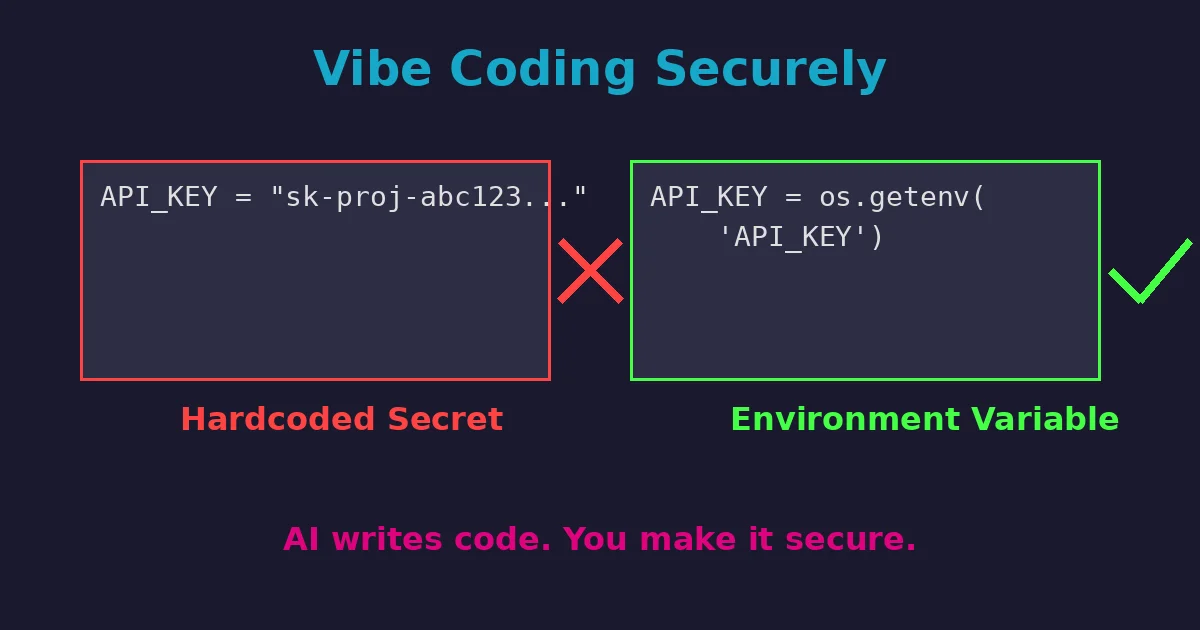
- Never hardcode secrets. No API keys, passwords, or tokens in source code. Ever.
- Teach me secure secret management. Explain environment variables, secret managers, and how to protect credentials properly.
These aren’t just nice-to-haves. They’re defaults. If AI is going to write code for me, it’s going to write secure code.
Secrets Management: Let Your AI Agent Be Your Teacher
Here’s where AI coding agents really shine: they can teach you best practices while implementing them.
When your project needs API keys, database credentials, or OAuth tokens, tell your AI agent:
“I need to use [service/API]. Walk me through how to store and use these credentials securely. Explain why each step matters.”
A good AI agent will:
- Set up environment variables or
.envfiles - Show you how to add
.envto.gitignore - Explain the difference between dev and prod secret management
- Recommend secret managers for production (AWS Secrets Manager, Google Secret Manager, HashiCorp Vault)
- Generate code that reads secrets from environment variables instead of hardcoding them
Example prompt:
I need to authenticate with the YouTube API. Walk me through:
1. How to securely store my API credentials
2. How to load them in my Python script
3. What NOT to commit to GitHub
4. How to handle secrets in production vs development
This approach does two things: it solves your immediate problem AND teaches you the pattern for next time.
When Secrets Get Exposed (Because They Will)
Let’s be real: you’re going to accidentally commit a secret to GitHub at some point. Maybe today, maybe next month.
The scale of this problem is staggering: GitHub’s secret scanning detected and prevented over 10 million exposed secrets in public repositories in 2023 alone. And those are just the ones caught automatically. Many more slip through undetected.
Here’s what to do when it happens:
Immediate Response (Do This NOW)
-
Revoke the exposed credential immediately. Don’t wait. Don’t finish your commit. Go revoke it right now.
- API keys: Regenerate in the service’s console
- Passwords: Change them
- OAuth tokens: Revoke and regenerate
-
Remove the secret from Git history. Just deleting the file in a new commit isn’t enough. The secret is still in your repo’s history. Tell your AI agent:
I accidentally committed my API key in commit [hash]. Walk me through completely removing it from Git history using git filter-repo or BFG Repo-Cleaner. -
Force push the cleaned history. After removing the secret from history, you’ll need to force push. Warning: this rewrites history. If others have cloned your repo, coordinate with them.
-
Check if the secret was scraped. GitHub secret scanning catches common patterns automatically. If your repo is public, assume bots found it within minutes. That’s why step 1 (revoke immediately) is critical.
Prevention for Next Time
Tell your AI agent:
Set up pre-commit hooks that scan for secrets before I commit. Use tools like git-secrets or detect-secrets.This catches most accidental exposures before they hit your repo.
Real Talk: This Works for Hobby Projects Too
You might think, “I’m just building a sunset timelapse uploader. Who cares about security?”
Wrong answer.
Even hobby projects can become targets. Or they can accidentally expose API keys. Or leak credentials. Or get you pwned because you didn’t sanitize a filename.
Security isn’t just for production systems at Fortune 500 companies. It’s for anything you build that touches the internet. Or your local network. Or honestly, anything at all.
Setting secure defaults takes five minutes. Dealing with a breach takes… significantly longer.
Edge Cases Are Real, and AI Doesn’t Think About Them
Here’s the thing about AI-generated code: it handles happy paths beautifully. You ask it to build a contact form, and it’ll give you something that works perfectly when users behave.
But the world doesn’t work like that.
Users will:
- Enter “about tree fiddy” in numeric fields
- Upload files with malicious extensions disguised as images
- Try SQL injection in search bars
- Paste scripts into text fields just to see what happens
AI doesn’t naturally think about these edge cases unless you force it to. That’s why you need to bake defensive coding into your project instructions from day one.
The Bottom Line
Vibe coding is amazing. But vibes alone won’t keep your code secure.
Set clear expectations. Tell your AI assistant what good security looks like. Make it validate input, encode output, avoid deprecated garbage, and handle secrets properly.
And if you’re not a developer? Even better. You’re building something cool without years of accumulated bad habits. Start with secure defaults, and you’re already ahead of most production codebases I’ve seen.
The best part? Your AI agent can be your security mentor while it codes. Ask it to explain why it’s doing things a certain way. Make it teach you the patterns. You’ll write better code, and you’ll actually understand what’s happening under the hood.
Now go build something awesome. Just do it securely.
Currently exploring full-time CISO, Head of Security (full-time or fractional), and advisory roles. If you need someone who can architect secure systems and explain why “about tree fiddy” is a terrible loan amount, let’s talk.